Create and share diagrams that communicate your ideas, fast.
Since 2007, yuml has helped over 500,000 people create beautiful diagrams using only words. No mucking about with projects or layout.
Open the Playground → See Examples
2,128 diagrams rendered today
Visualise your software, UX or product thinking.
From whiteboard sketches to architecture docs — one DSL, eight styles.
Describe what you need. Get a diagram.
Type a sentence in plain English. yUML's AI turns it into an editable diagram you can refine, save, or share.
Trusted by teams at — since 2009






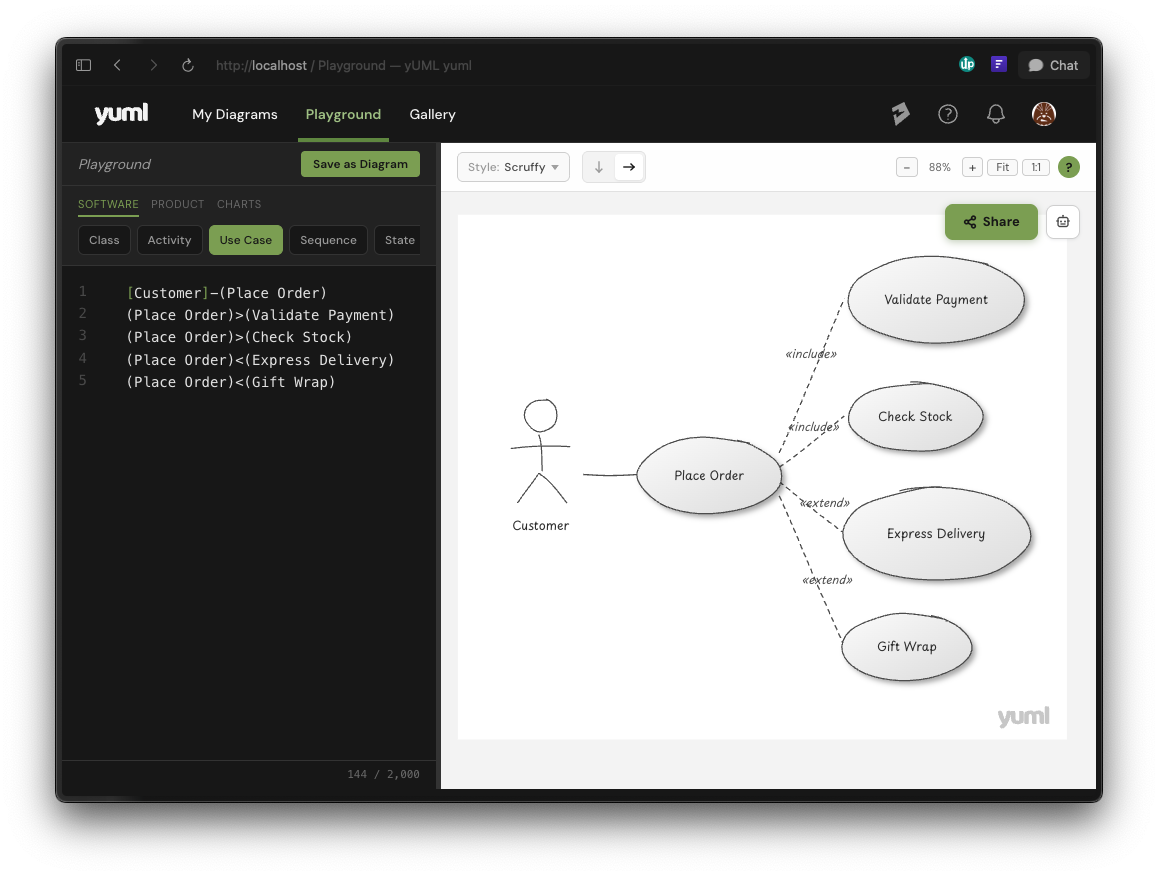
Write it, script it or generate with AI.
Describe what you want in a few lines of text. yUML creates beautiful diagrams to share or save. No fiddling with layout.
Idea to diagram in seconds
Describe a software architecture, user flow or chart in plain text. Your diagram appears as you type.
Eight visual styles
Sketch, napkin, blueprint, clean, midnight and more. Find a look that works for your blog, book or document.
Hand-typed or scripted
Write yUML in the playground, or generate it from a script, CI pipeline or AI agent. Same DSL either way.
Save, version, export
Every diagram lives as plain text. Roll back changes, copy the DSL anywhere, take it with you.
Three ways to create diagrams
No fiddly drag-and-drop layout. Just type, render, and share.
Type it in the editor
Write a few words of concise syntax and see your diagram update live. No alignment tools, no snapping, no layout headaches.
Generate from code or CI
Because diagrams are text, you can create them from scripts, CI pipelines, or any language that can make an HTTP request. Tool vendors use this to integrate yUML with blogs, wikis, and docs.
Embed anywhere
Drop a URL into GitHub, Slack, Confluence, Notion, or a plain
<img> tag. The SVG renders beautifully at any size.
Copy into Figma, Keynote, or Google Slides as a vector.
13 diagram types and counting
Software, product, and chart diagrams — all from text
See all styles applied to every diagram type
Shorter than other text-to-diagram tools.
yUML's concise syntax means fewer characters, fewer errors, and fewer AI tokens when generating diagrams with LLMs.
Built for the age of AI agents
Structured syntax
A consistent, predictable grammar that AI models can learn and reproduce reliably
API-first
Server-side rendering with a simple authenticated API — perfect for automation
Fewest tokens
The most concise syntax of any text-to-diagram tool — fewer tokens, fewer errors
For writers, founders and educators
Diagrams take time. Most blog posts, decks and explainers ship without one, or with one that took longer than the rest of the work. yUML brings the cost down enough that adding a diagram feels closer to adding a code block.
- A few lines of text becomes a polished SVG you can paste into any blog, deck or doc.
- Saved diagrams stay editable, so you can revise them as your post or pitch evolves.
- Export the SVG and edit in Figma if you ever need to. Nothing about your work is locked into yUML.
Hand-drawn charts, generated from text in a few seconds.
For engineers and AI builders
Architecture diagrams in docs tend to drift out of date because updating them is a separate task. yUML's text format means diagrams can live alongside code, generated from CI on every PR, from a script when something changes, or from an AI agent looking at the codebase.
- One HTTP call per diagram, returning SVG or PNG. Works from any language or workflow that can call an API.
- Concise syntax that AI models already write fluently, often in fewer tokens than alternatives.
- Pro accounts can bypass our render cache, so the diagrams you generate aren't held on our servers.
Start diagramming in seconds
No credit card required.